Restaurant dashboard with today's sales, orders, and quick actions

Restaurant POS

Restaurant POS Software for Fast Service

Keep orders moving with quick menu billing, table and takeaway workflows, split payments, and inventory that reflects every dish sold.

Restaurant back office

Modern dashboard for restaurant operators

A refreshed admin UI with live KPIs, quick actions, locations, and team management — alongside your dedicated restaurant POS.

Foody Moody — Dashboard
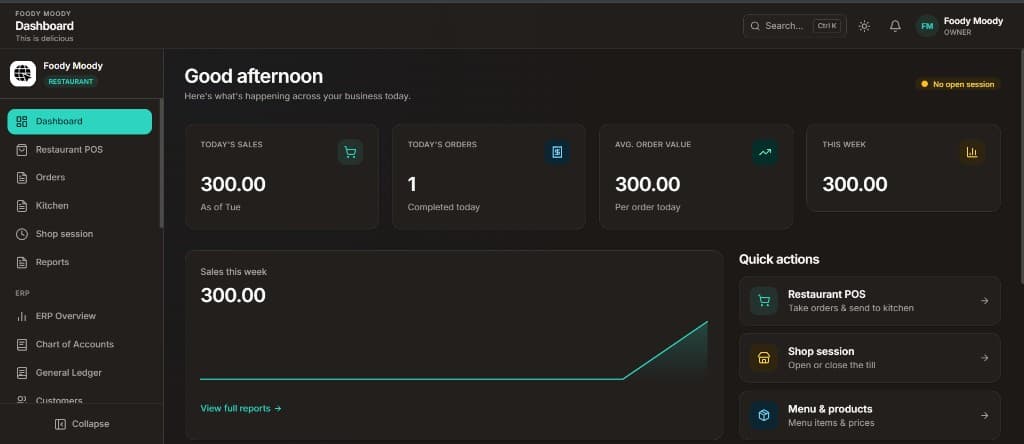
Restaurant Dashboard — Today's sales, orders, weekly trends, and quick links to POS and menu

Restaurant Dashboard

Today's sales, orders, weekly trends, and quick links to POS and menu

Foody Moody — Search
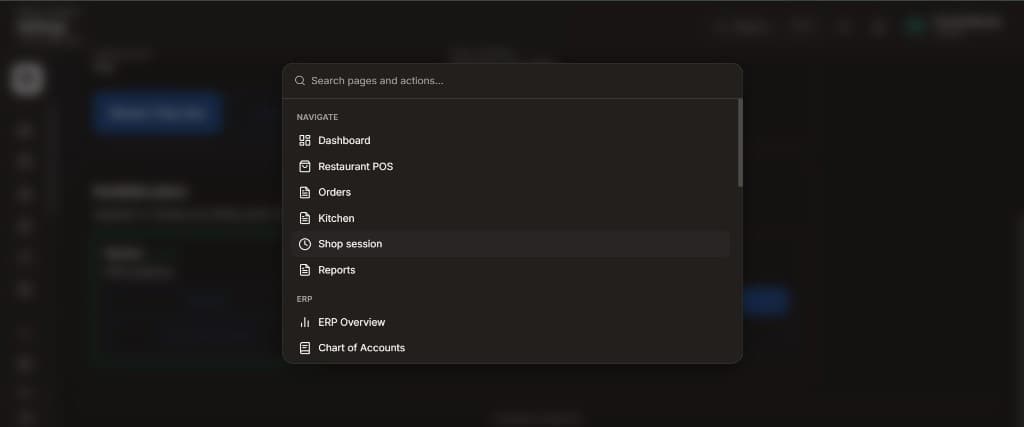
Quick navigation — Jump to POS, orders, kitchen, reports, or ERP with Ctrl+K search

Quick navigation

Jump to POS, orders, kitchen, reports, or ERP with Ctrl+K search

Foody Moody — Locations
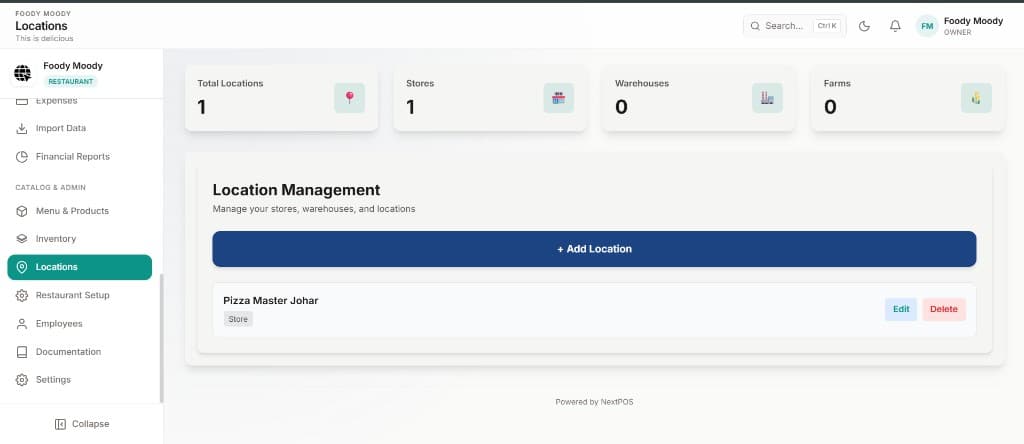
Locations — Manage stores, warehouses, and branches from one place

Locations

Manage stores, warehouses, and branches from one place

Foody Moody — Employees
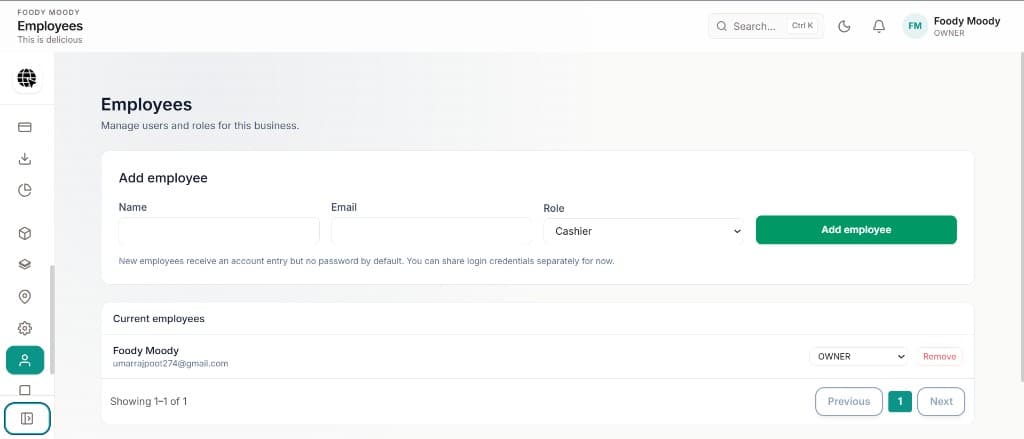
Employees — Add staff, assign roles, and control access per location

Employees

Add staff, assign roles, and control access per location

Restaurant POS

Built for cafés, restaurants, and food courts

A dedicated dine-in experience — menu grid, order ticket, kitchen display, and table management in one flow.

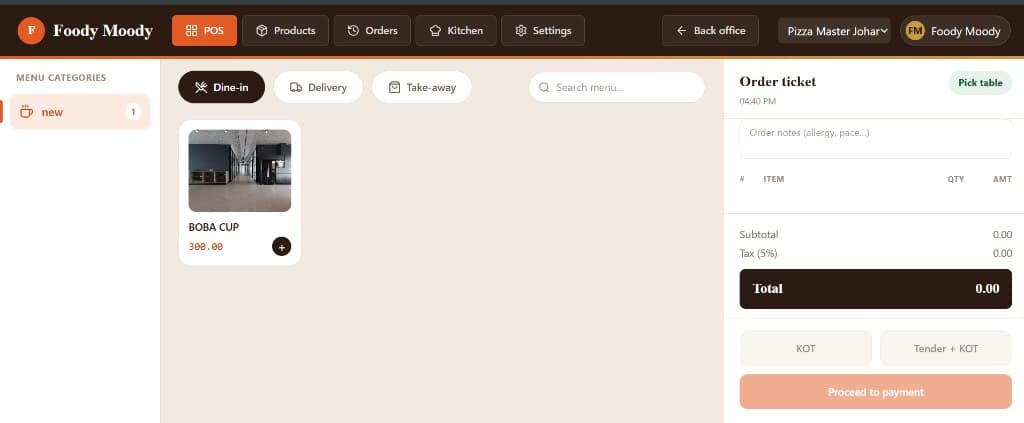
Foody Moody — Point of Sale
Restaurant POS — Dine-in, delivery, and takeaway with menu categories and KOT

Restaurant POS

Dine-in, delivery, and takeaway with menu categories and KOT

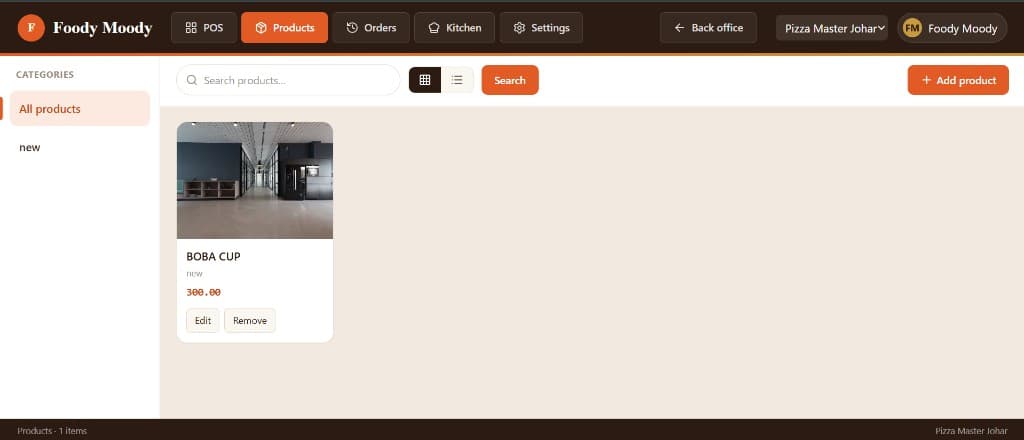
Foody Moody — Products
Menu & Products — Manage menu items, photos, categories, and pricing

Menu & Products

Manage menu items, photos, categories, and pricing

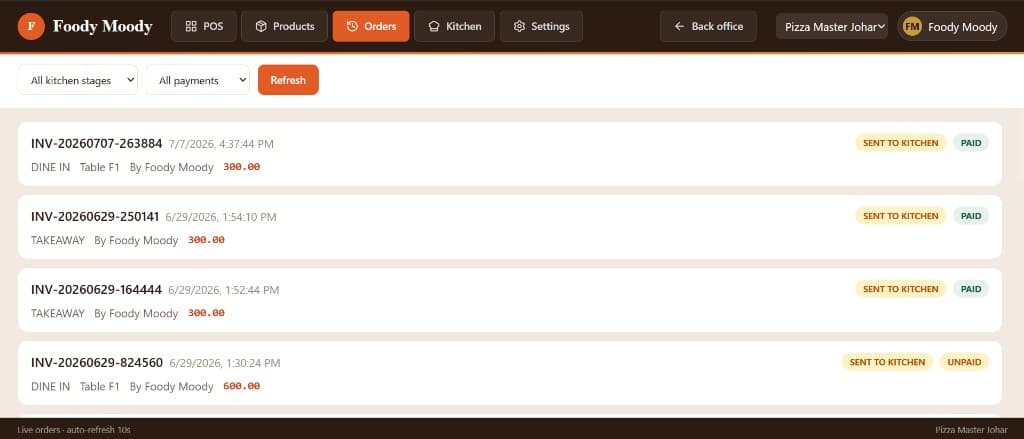
Foody Moody — Orders
Live Orders — Track kitchen status, payments, and table assignments

Live Orders

Track kitchen status, payments, and table assignments

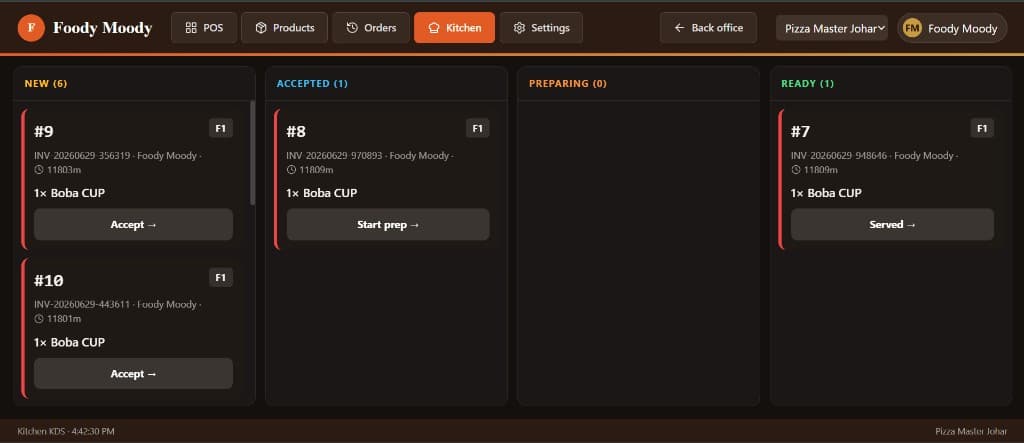
Foody Moody — Kitchen KDS
Kitchen Display — KDS board from new tickets through to served

Kitchen Display

KDS board from new tickets through to served

Foody Moody — Settings
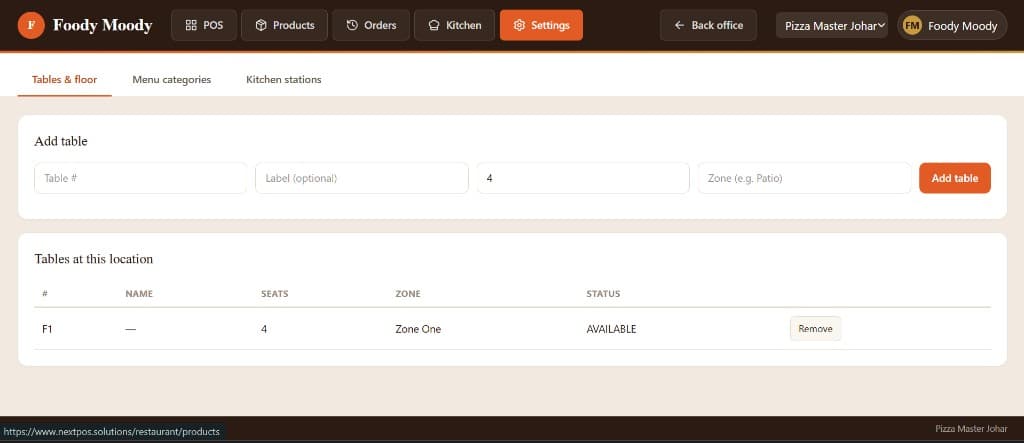
Tables & Setup — Floor plans, menu categories, and kitchen stations

Tables & Setup

Floor plans, menu categories, and kitchen stations

Restaurant workflow

Front of house to kitchen — connected

Every role sees what they need: owners on the dashboard, waiters on POS, chefs on KDS, and admins on staff setup.

Dashboard

Owners & Managers

Start the day on a modern dashboard — sales KPIs, weekly trends, and shortcuts to POS, shop session, and menu management. Use Ctrl+K to jump anywhere instantly.

  • Today's sales & orders
  • Ctrl+K quick navigation
  • Quick actions
Dashboard
Owners & Managers — Dashboard

Restaurant POS

Waiters & Counter Staff

Take dine-in, takeaway, and delivery orders with table picker, order notes, and one-tap KOT to the kitchen.

  • Dine-in & takeaway
  • Table management
  • KOT & payment
Restaurant POS
Waiters & Counter Staff — Restaurant POS

Kitchen Display

Kitchen Team

Work from a live KDS — accept tickets, prep items, and mark orders ready or served without paper chits.

  • Kanban KDS board
  • Ticket timers
  • Status workflow
Kitchen Display
Kitchen Team — Kitchen Display

Employees & Locations

Admin & HR

Add locations for each outlet, invite employees, and assign roles like cashier, waiter, or kitchen staff.

  • Multi-location setup
  • Role-based access
  • Staff management
Employees & Locations
Admin & HR — Employees & Locations

Speed at the counter and the table

Restaurant peak hours tolerate no downtime. NextPOS is optimized for fast order entry — search menus, apply modifiers, split bills, and print receipts without leaving the POS screen.

Offline mode keeps you serving when the network drops, syncing orders and inventory when you reconnect.

  • Quick menu search and category navigation
  • Dine-in, takeaway, and delivery order types
  • Split bills and multiple payment methods
  • Discounts, combos, and promotional pricing
  • Daily sales and item-level performance reports

Inventory tied to your menu

Track ingredient and packaged stock as menu items sell. Low-stock alerts help kitchen and procurement teams reorder before service is disrupted.

Multi-outlet restaurants and food courts

Manage several outlets from one account — compare sales by location, standardize menus, and roll up reporting for owners and franchise operators.

Frequently asked questions

Does NextPOS support dine-in and takeaway orders?
Yes. Configure order types for dine-in, takeaway, and delivery so staff can bill quickly and reports break down performance by channel.
Can I split bills between customers?
Yes. Split payments and multiple payment types — cash, card, and mixed — are supported at checkout.
Will the restaurant POS work during internet outages?
Yes. Offline POS keeps orders flowing during outages and syncs automatically when connectivity returns.
Can I run multiple restaurant outlets on one platform?
Yes. Multi-branch plans let you manage several outlets with location-specific inventory and centralized reporting.

Upgrade your restaurant operations

See fast F&B billing, inventory, and multi-outlet management in a personalized demo.